
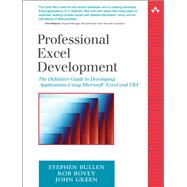
Professional Excel Development The Definitive Guide to Developing Applications Using Microsoft Excel and VBA
by Bullen, Stephen; Bovey, Rob; Green, JohnEdition: 1st
Format: Paperback
Pub. Date: 2005-02-01
Publisher(s): Addison-Wesley Professional
 Other versions by this Author
List Price: $69.99
Rent Book
Select for Price
New Book
We're Sorry
Sold Out
Used Book
We're Sorry
Sold Out
eBook
We're Sorry
Not Available
Summary
Direct from the most respected authorities on Excel, this book will be the definitive guide to developing applications with Microsoft Excel.
Author Biography
Stephen Bullen is founder of Office Automation Ltd., a specialist in Excel, Access and Visual Basic development that serves many of the world's largest businesses. Rob Bovey is president of Application Professionals, a software developer specializing in Microsoft Office, Visual Basic and SQL Server applications. He has developed several add-ins shipped by Microsoft with Excel. John Green is founder of Execuplan Consulting, a specialist in Excel and Access business application development. The authors have each held Microsoft's coveted Excel MVP status for eight consecutive years, and are coauthors of Excel 2000/Excel 2002 VBA Programmer's Reference (Wrox Press).
© Copyright Pearson Education. All rights reserved.
Table of Contents
| Acknowledgments | xv | ||||
| About the Authors | xvii | ||||
| Chapter 1: Introduction | 1 | (12) | |||
|
1 | (1) | |||
|
2 | (1) | |||
|
3 | (4) | |||
|
7 | (1) | |||
|
8 | (1) | |||
|
9 | (1) | |||
|
9 | (1) | |||
|
10 | (1) | |||
|
11 | (1) | |||
|
12 | (1) | |||
| Chapter 2: Application Architectures | 13 | (16) | |||
|
13 | (12) | |||
|
25 | (4) | |||
| Chapter 3: Excel and VBA Development Best Practices | 29 | (40) | |||
|
29 | (13) | |||
|
42 | (5) | |||
|
47 | (21) | |||
|
68 | (1) | |||
| Chapter 4: Worksheet Design | 69 | (40) | |||
|
69 | (1) | |||
|
70 | (1) | |||
|
71 | (7) | |||
|
78 | (6) | |||
|
84 | (5) | |||
|
89 | (3) | |||
|
92 | (7) | |||
|
99 | (2) | |||
|
101 | (6) | |||
|
107 | (2) | |||
| Chapter 5: Function, General and Application-Specific Add-ins | 109 | (34) | |||
|
109 | (3) | |||
|
112 | (8) | |||
|
120 | (1) | |||
|
121 | (7) | |||
|
128 | (14) | |||
|
142 | (1) | |||
| Chapter 6: Dictator Applications | 143 | (24) | |||
|
143 | (16) | |||
|
159 | (7) | |||
|
166 | (1) | |||
| Chapter 7: Using Class Modules to Create Objects | 167 | (32) | |||
|
167 | (5) | |||
|
172 | (7) | |||
|
179 | (3) | |||
|
182 | (8) | |||
|
190 | (7) | |||
|
197 | (2) | |||
| Chapter 8: Advanced Command Bar Handling | 199 | (56) | |||
|
199 | (2) | |||
|
201 | (21) | |||
|
222 | (10) | |||
|
232 | (5) | |||
|
237 | (9) | |||
|
246 | (7) | |||
|
253 | (2) | |||
| Chapter 9: Understanding and Using Windows API Calls | 255 | (44) | |||
|
255 | (6) | |||
|
261 | (3) | |||
|
264 | (10) | |||
|
274 | (5) | |||
|
279 | (15) | |||
|
294 | (3) | |||
|
297 | (2) | |||
| Chapter 10: Userform Design and Best Practices | 299 | (60) | |||
|
299 | (10) | |||
|
309 | (7) | |||
|
316 | (9) | |||
|
325 | (7) | |||
|
332 | (4) | |||
|
336 | (8) | |||
|
344 | (6) | |||
|
350 | (7) | |||
|
357 | (1) | |||
|
358 | (1) | |||
| Chapter 11: Interfaces | 359 | (32) | |||
|
359 | (2) | |||
|
361 | (2) | |||
|
363 | (1) | |||
|
364 | (2) | |||
|
366 | (2) | |||
|
368 | (5) | |||
|
373 | (1) | |||
|
374 | (12) | |||
|
386 | (2) | |||
|
388 | (1) | |||
|
389 | (2) | |||
| Chapter 12: VBA Error Handling | 391 | (44) | |||
|
391 | (10) | |||
|
401 | (1) | |||
|
402 | (1) | |||
|
403 | (5) | |||
|
408 | (7) | |||
|
415 | (1) | |||
|
416 | (7) | |||
|
423 | (10) | |||
|
433 | (2) | |||
| Chapter 13: Programming with Databases | 435 | (56) | |||
|
435 | (18) | |||
|
453 | (1) | |||
|
454 | (21) | |||
|
475 | (2) | |||
|
477 | (12) | |||
|
489 | (2) | |||
| Chapter 14: Data Manipulation Techniques | 491 | (28) | |||
|
491 | (6) | |||
|
497 | (12) | |||
|
509 | (8) | |||
|
517 | (2) | |||
| Chapter 15: Advanced Charting Techniques | 519 | (26) | |||
|
519 | (18) | |||
|
537 | (6) | |||
|
543 | (2) | |||
| Chapter 16: VBA Debugging | 545 | (42) | |||
|
545 | (11) | |||
|
556 | (4) | |||
|
560 | (1) | |||
|
561 | (12) | |||
|
573 | (1) | |||
|
574 | (4) | |||
|
578 | (3) | |||
|
581 | (2) | |||
|
583 | (2) | |||
|
585 | (2) | |||
| Chapter 17: Optimizing VBA Performance | 587 | (32) | |||
|
587 | (1) | |||
|
588 | (4) | |||
|
592 | (6) | |||
|
598 | (11) | |||
|
609 | (7) | |||
|
616 | (3) | |||
| Chapter 18: Controlling Other Office Applications | 619 | (32) | |||
|
619 | (16) | |||
|
635 | (13) | |||
|
648 | (1) | |||
|
649 | (2) | |||
| Chapter 19: XLLs and the C API | 651 | (36) | |||
|
651 | (1) | |||
|
652 | (5) | |||
|
657 | (10) | |||
|
667 | (5) | |||
|
672 | (2) | |||
|
674 | (1) | |||
|
675 | (1) | |||
|
676 | (3) | |||
|
679 | (3) | |||
|
682 | (1) | |||
|
683 | (1) | |||
|
684 | (2) | |||
|
686 | (1) | |||
| Chapter 20: Combining Excel and Visual Basic 6 | 687 | (58) | |||
|
688 | (16) | |||
|
704 | (15) | |||
|
719 | (1) | |||
|
720 | (9) | |||
|
729 | (14) | |||
|
743 | (2) | |||
| Chapter 21: Writing Add-ins with Visual Basic 6 | 745 | (26) | |||
|
745 | (4) | |||
|
749 | (4) | |||
|
753 | (2) | |||
|
755 | (2) | |||
|
757 | (6) | |||
|
763 | (2) | |||
|
765 | (3) | |||
|
768 | (1) | |||
|
769 | (2) | |||
| Chapter 22: Using VB.NET and the Visual Studio Tools for Office | 771 | (48) | |||
|
771 | (3) | |||
|
774 | (1) | |||
|
775 | (20) | |||
|
795 | (1) | |||
|
796 | (3) | |||
|
799 | (6) | |||
|
805 | (7) | |||
|
812 | (1) | |||
|
812 | (4) | |||
|
816 | (3) | |||
| Chapter 23: Excel, XML and Web Services | 819 | (44) | |||
|
819 | (24) | |||
|
843 | (7) | |||
|
850 | (11) | |||
|
861 | (2) | |||
| Chapter 24: Providing Help, Securing, Packaging and Distributing | 863 | (22) | |||
|
863 | (9) | |||
|
872 | (5) | |||
|
877 | (6) | |||
|
883 | (1) | |||
|
884 | (1) | |||
| Index | 885 |
Excerpts
= 0) {slash = '\\';} else {slash = '/';}openLoc = figLoc.substring(0, figLoc.lastIndexOf(slash) + 1);while (pPage.substring(0,3) == '../') {openLoc = openLoc.substring(0, openLoc.lastIndexOf(slash, openLoc.length - 2)+ 1);pPage = pPage.substring(3, pPage.length + 1);}popUpWin =window.open('','popWin','resizable=1,scrollbars=1,location=0,toolbar=0,width=525,height=394');figDoc = popUpWin.document;zhtm= ' ' + pPage + ' ';zhtm += ' ';zhtm += ' ';zhtm += ' ';zhtm += '' + pPage.substring(pPage.lastIndexOf('/') + 1, pPage.length) + '';zhtm += ' ';figDoc.write(zhtm);figDoc.close();}// modified 3.1.99 RWE v4.1 --> Ch1 - Introduction Chapter 1: Introduction About This BookMicrosoft Excel is much, much more than just a spreadsheet. Since the introduction of the Visual Basic Editor in Excel 97 and the improved stability of Excel 2000, it has become a respected development platform in its own right. Applications written using Excel are now often found alongside those written using Visual Basic, C++, Java, .NET, etc, as part of many corporations' core suite of business-critical applications. Indeed, Excel is often used for the client end of web-based applications, made particularly easy with Excel 2003's XML import/export features.Unfortunately, Excel is still all too often thought of as a hobbyist platform; that people develop spreadsheet-based applications in their spare time to help out with their day job. A brief look at the shelves of any bookstore seems to confirm that opinion. While there are myriad titles explaining how to use Excel and numerous titles about Excel and VBA, there are none that provide an overall explanation of how to develop professional-quality Excel-based applications. This is that book.While all the other major languages seem to have a de-facto standard text that explains the commonly-agreed best practices for architecting, designing and developing applications in that language, Excel does not. This book aims to fill that gap.All three authors are professional Excel developers who run our own companies developing Excel-based applications for clients ranging from individuals to the largest multinational corporations. This book details the approaches we use when designing, developing, distributing and supporting the applications we write for our clients.This is not a beginner-level book. We assume that the reader will have read and (mostly) understood ourExcel 2000/2002 VBA Programmer's Reference, John Walkenbach'sExcel N Power Programmingor similar titles. The Excel DeveloperExcel developers can be divided into five general categories, based on their experience and knowled
An electronic version of this book is available through VitalSource.
This book is viewable on PC, Mac, iPhone, iPad, iPod Touch, and most smartphones.
By purchasing, you will be able to view this book online, as well as download it, for the chosen number of days.
Digital License
You are licensing a digital product for a set duration. Durations are set forth in the product description, with "Lifetime" typically meaning five (5) years of online access and permanent download to a supported device. All licenses are non-transferable.
More details can be found here.
A downloadable version of this book is available through the eCampus Reader or compatible Adobe readers.
Applications are available on iOS, Android, PC, Mac, and Windows Mobile platforms.
Please view the compatibility matrix prior to purchase.